
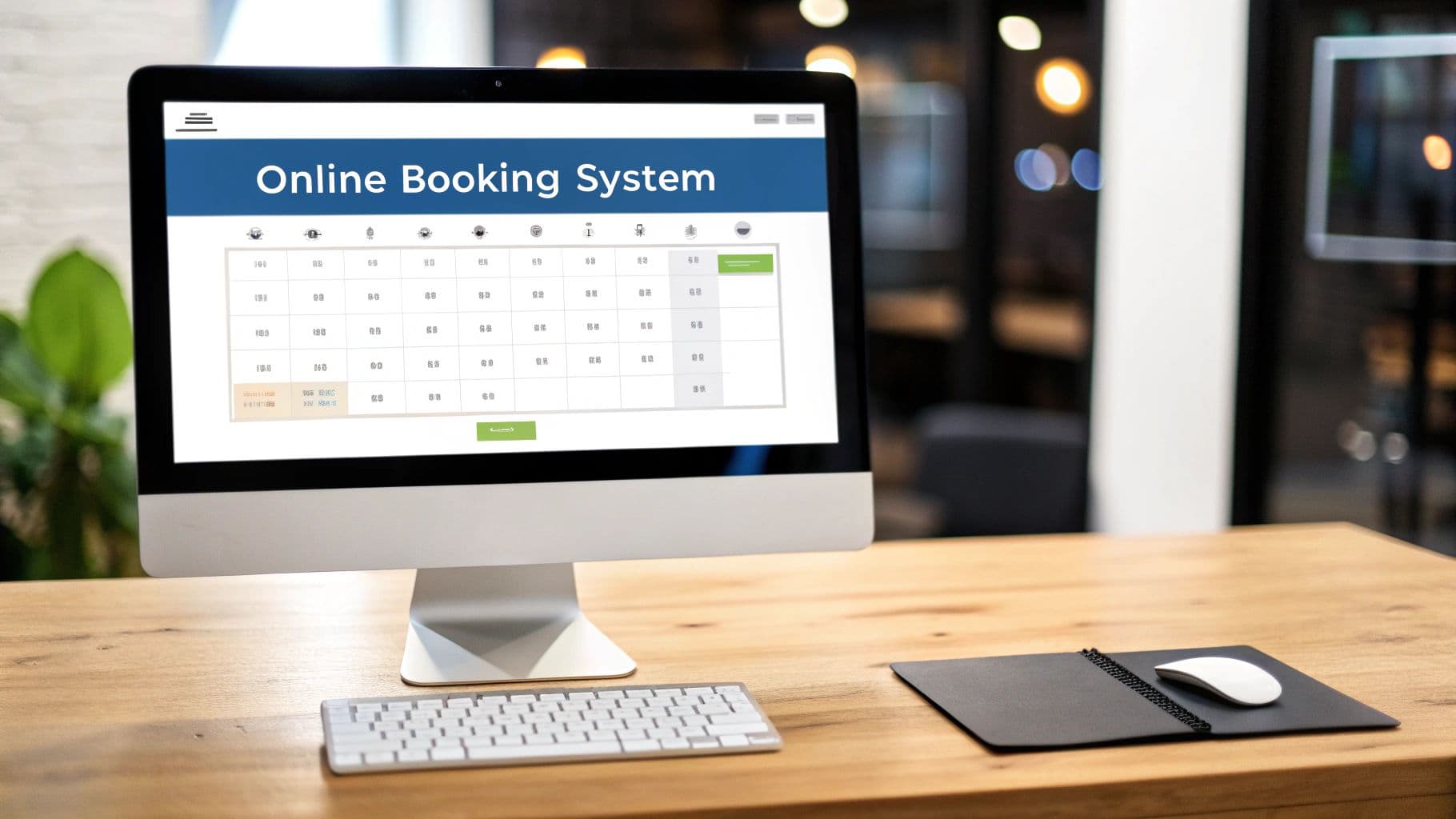
An online booking system tutorial isn't just about learning a new tool; it’s your key to automating appointment scheduling. This frees you up from the back-and-forth of phone calls and emails, while letting customers book with you 24/7. With a system like Novacal, you can launch a professional, branded booking page in minutes, pop it onto your website, and start taking appointments right away. It's all about making your business more efficient and accessible to everyone.
Why Online Booking Is a Business Game-Changer
Let's be honest, "saving time" is just the tip of the iceberg. In today's market, your clients don't just prefer digital convenience—they flat-out expect it. An online booking system isn't a luxury anymore. It’s a core part of staying competitive and directly shapes how clients see and engage with your business.
When you offer 24/7 booking, you’re capturing business long after you've closed for the day. Think about the consultant finalizing plans late at night or the busy parent scheduling appointments after the kids are in bed. Without an online option, those potential clients are likely to jump to a competitor who provides that instant booking confirmation.
This isn't just a small trend; it's a massive market shift. The global online booking software market was valued at a staggering $96.17 billion in 2024 and is projected to climb to $120.62 billion by 2025. That's an annual growth rate of 25.4%, largely driven by everyone using smartphones and demanding faster, simpler ways to make reservations. You can dig deeper into these numbers in this global market report.
From Phone Tag to Strategic Growth
The real magic of a system like Novacal is how it fundamentally changes your workflow. Instead of your team getting buried under administrative tasks, they're free to concentrate on what actually drives your business forward: delivering an incredible service.
Think about the direct impact this has on your day-to-day operations:
- Fewer No-Shows: Automated email and SMS reminders are a game-changer. They keep appointments on your clients' radar, which dramatically cuts down on missed sessions and protects your revenue.
- Smarter Staff Schedules: You can easily manage availability for your whole team, killing double-bookings for good and making sure everyone's time is used effectively.
- A Better Client Experience: From their very first touchpoint, clients get a smooth, professional booking process. This sets a positive tone for their entire relationship with your brand.
When you automate the booking process, you're doing more than just adding a piece of software—you're implementing a strategy. You're meeting modern client expectations head-on and turning a simple convenience into a powerful tool for attracting and keeping customers.
This shift moves your business from being reactive to proactive. You can learn more about this by reading our guide on the powerful benefits of an online booking system for your business.
Building Your Novacal Foundation

Getting an online booking system to just take appointments is one thing. But turning it into a smart, automated engine that actually works for you? That’s where the real magic happens. In this part of the guide, we're moving past the simple setup and getting into the strategic stuff. The goal here is to build a solid foundation in Novacal that nips future headaches in the bud and helps you grow.
Think of it like drawing up the blueprint for your schedule. If the plan is flimsy, you’re setting yourself up for double bookings, overworked staff, and confused clients. But when it's well-planned, the experience is smooth for everyone, right from that first click. Let's dig in, starting with your business hours—the absolute bedrock of your availability.
This isn't just about plugging in a generic 9-to-5. What if you're running a wellness clinic where each practitioner keeps different hours? Or maybe a mobile pet grooming service that has to block out travel time between appointments? Novacal is built to handle this kind of real-world complexity.
Defining Your Core Availability
Your first big move is to define not just when you work, but how you work. You need to build a schedule that accounts for the day-to-day realities of your business.
A consultant I know, for instance, sets their bookable hours from 10 AM to 4 PM. This carves out time for focused work in the morning and administrative tasks at the end of the day. It’s a small tweak, but it prevents burnout and makes sure they're 100% present for every client call. That’s how a simple schedule change can directly boost the quality of your service.
One of the most common mistakes I see is people simply copying their physical office hours into their online calendar. Your digital availability should reflect your ideal work rhythm and what your services actually require. Getting this right from the start is what separates a basic setup from a truly strategic one.
Once you’ve got your core hours locked in, the next layer is defining the services you offer. This is where you translate what you do into neat, bookable time slots.
Structuring Your Services with Precision
When it comes to defining your services, accuracy is everything. A "60-minute massage" isn't just 60 minutes of your time, is it? You have to account for the little moments in between. This is where buffer times will become your absolute best friend.
Just picture a busy hair salon scheduling back-to-back color treatments without adding a 15-minute buffer for cleanup and getting the next client settled. The entire day's schedule would collapse into chaos, leading to delays and unhappy customers.
Here’s a practical way to think about structuring each service:
- Service Duration: This is the actual time the client is with you. Be honest with yourself—if a "one-hour consultation" usually creeps to 65 minutes, schedule it that way.
- Buffer Time (Before): The time you need to get ready. For a therapist, this might be 10 minutes to review a client's notes before they arrive.
- Buffer Time (After): The time for wrapping up. For a personal trainer, this is the crucial 5 minutes needed to sanitize equipment for the next person.
Taking the time to be this meticulous ensures your calendar is a true reflection of your capacity, which stops the stress of constantly running behind. By thoughtfully building out this foundation in Novacal, you’re creating a reliable system that manages client flow on its own, freeing you up to focus on what you do best.
Integrating Novacal Into Your Website
Just slapping a booking widget on a random page and calling it a day is a missed opportunity. Truly smart integration means weaving the booking process so seamlessly into your website that it feels like a natural part of your brand. Where you place that booking tool has a massive impact on the user's experience—and, let's be honest, your conversion rates. The real goal is to make scheduling an appointment feel like the easy, obvious next step for any potential client.
Think about your visitor's journey. Where are they on your site when the thought "I should book" pops into their head? If they're reading about your services or your team, a well-placed call-to-action is crucial. One of the most effective strategies I’ve seen is a persistent "Book Now" button in the main navigation menu. This keeps the option front-and-center, no matter where someone clicks, ready to capture those high-intent visitors the moment they decide to commit.
For an even more direct approach, you can embed your scheduler right into the hero section of your homepage. This puts your availability on immediate display, showing visitors just how simple it is to get on your schedule before they even have to scroll.
Platform-Specific Integration Guides
Your booking system should look like it belongs on your site, not like a clunky, third-party afterthought. Here’s a breakdown of how to get Novacal integrated smoothly on the most popular website platforms, ensuring everything feels cohesive.
Choosing the right integration method really comes down to your website platform and how comfortable you are with a little bit of code. This table lays out the common approaches to help you decide.
| Novacal Integration Methods Compared | | :--- | :--- | :--- | :--- | | Integration Method | Best For | Technical Skill | Customization Level | | Direct Page Embed | Dedicated booking pages, service pages, or the homepage. | Low: Just copy and paste. | Moderate: Controlled within Novacal's settings. | | Navigation Button/Link | Site-wide access, capturing users from any page. | Low: Basic menu editing skills. | Low: It's a simple link to your booking page. | | Custom HTML Block | WordPress, Squarespace, and most modern builders. | Low: As easy as using a text block. | Moderate: Follows the embed's settings. | | "Buy" Button on eCommerce | Shopify or other platforms where services are "products." | Medium: Requires editing theme files or product templates. | High: Can be fully integrated into the purchase flow. |
Each method has its place. For most businesses, a combination of a dedicated booking page and a prominent "Book Now" button in the navigation is a winning formula.
Getting It Done on WordPress
With WordPress, you have total flexibility. The easiest way is using the built-in block editor.
- First, navigate to the page or post where you want your calendar to live.
- Click the '+' icon to add a new block and search for the Custom HTML block.
- This is where you'll paste your unique Novacal embed code. Just drop it in.
- Hit "Update" or "Publish," and then preview the page. You should see your live booking form ready to go.
What about that site-wide "Book Now" button? Head over to Appearance > Menus in your WordPress dashboard. You can add a custom link that points directly to your booking page and add it to your main navigation.
Setting Up on Shopify
If you're using Shopify to sell services or consultations, putting the booking calendar right on the product page is a game-changer.
You can do this by going to the specific service (as a "product") in your Shopify admin. In the description editor, you’ll see a little icon that looks like </>. Click that to switch to the HTML view and paste your Novacal code right there.
Alternatively, you could create a dedicated page under Online Store > Pages. Just title it something clear, like "Book a Consultation," and paste the code into the HTML view there as well.
My Two Cents: Putting the booking tool on the service page itself is huge for reducing friction. A customer looking at your "Personal Styling Session" can book it right then and there. They don't have to navigate away, which I've found drastically increases the chances they'll follow through.
Integrating with Squarespace
Squarespace is known for its clean design, and its code blocks make embedding tools like Novacal incredibly simple.
While editing the page where you want the booking form, click an insert point and choose the Code Block. Paste your Novacal embed code into the pop-up window. Just make sure the "Display Source" option is unchecked, and then save your changes. Your booking calendar will appear perfectly nested within your site’s existing design. It's that easy.
Before you jump into the integration itself, it's a good idea to have your availability and services configured in Novacal first.
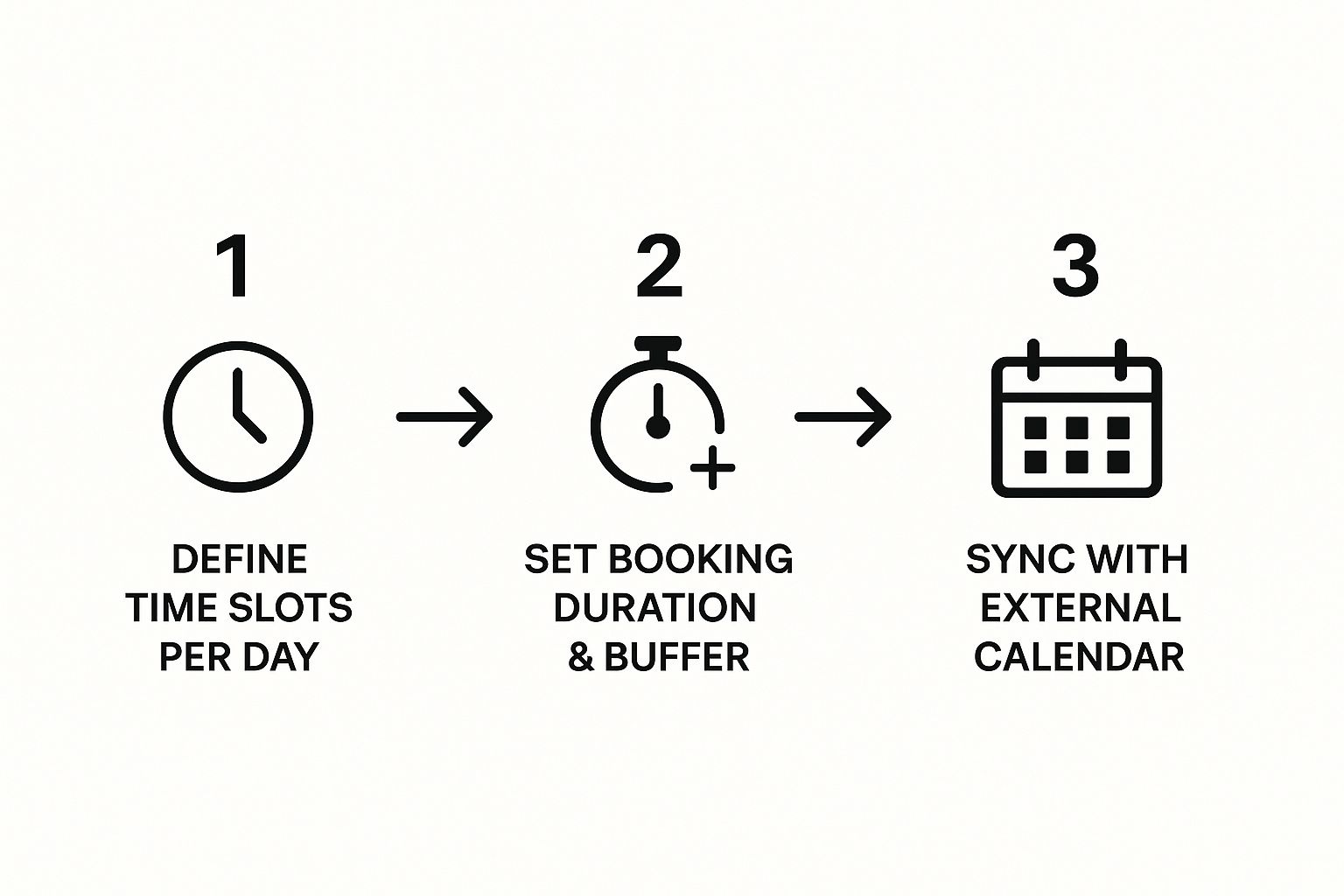
This workflow is the foundation of a reliable booking system. By defining your time slots, setting accurate service durations, and syncing your personal calendars before you integrate, you ensure the availability you show customers is always accurate.
Creating a Booking Experience That Feels Like *You*
https://www.youtube.com/embed/3OOHC_UzrKA
Getting a booking system up and running is one thing. That gets appointments in your calendar. But creating a branded booking experience? That’s what turns one-time appointments into loyal clients. This is where we go beyond the basic setup and start making your Novacal page a genuine extension of your brand. The goal is to create a smooth, memorable journey that feels completely like you from the moment a client decides to book.
Think about it: your booking page is often the very first direct interaction someone has with your business. It absolutely should reflect your brand's personality, not look like some generic, cookie-cutter tool. The easiest win here is visual consistency. Jump into Novacal, upload your logo, and dial in your specific brand colors. It’s a small tweak that makes a huge difference in building immediate recognition and trust.
Personalization like this is quickly becoming the expectation, not the exception. The online booking software market, valued at roughly $100.3 billion in 2023, is booming for a reason. It's projected to hit an incredible $520.2 billion by 2031, driven by businesses that are using these tools to offer more personal service and make clients happier. You can dig into the numbers yourself in this comprehensive market report on booking software.
Get the Right Information with Custom Forms
A truly fantastic booking experience feels like it knows what a client needs before they even ask. Custom intake forms are your secret weapon for making this happen. They let you gather all the essential details upfront, which does more than just save time during the actual appointment—it lets you walk in prepared and ready to deliver a thoughtful, tailored service.
For example, a business coach could ask a new client about their top three business challenges before their first strategy session. A wellness clinic, on the other hand, might need a completely different set of questions for a new patient versus a returning one.
Novacal makes building these dynamic forms surprisingly simple. You can get pretty clever with it.
- Use Conditional Questions: You can show or hide questions based on the service someone picks. A "Deep Tissue Massage" booking could trigger questions about specific pain points, while those questions would stay hidden for a "Relaxation Massage."
- Customize for New vs. Returning Clients: Ask first-timers for the detailed background info you need, but give your regulars a fast-track booking process.
Taking this approach sends a clear message: you value your clients' time and you're already invested in helping them.
My best advice is to keep your forms focused. Only ask for information you actually need to provide a better service. A form with 20 questions is a surefire way to overwhelm someone and risk them abandoning the booking entirely. Stick to what's essential.
Put an End to No-Shows with Smart Reminders
No-shows are a quiet but serious drain on revenue. Your most effective tool against them is a smart, automated reminder system. With Novacal, you can set up both email and SMS reminders that go out at just the right moments leading up to an appointment.
A multi-step reminder sequence can practically wipe out no-shows. Here’s a simple, proven strategy:
- Instant Email Confirmation: This goes out the second they book, confirming all the details.
- Email Reminder: Send another one 48 hours before the appointment.
- SMS Reminder: A final text message goes out 24 hours before. Texts have incredible open rates, making this one super effective.
This isn't about pestering people; it's about giving them helpful nudges that busy clients genuinely appreciate. You can even customize the message to match your brand's voice—whether you're straight-to-the-point or warm and friendly.
If you want to take this even further, check out our guide on how to book more meetings with Novacal. When you combine a polished, branded look with smart forms and thoughtful automation, you're not just taking bookings—you're building relationships.
Taking Your Bookings to the Next Level
 Okay, so your basic booking page is up and running. That's a huge first step. But now it’s time to move past the simple calendar and turn your booking system into the real command center for your business. This is where we go from having a functional tool to a genuine growth machine.
Think beyond just scheduling. We're talking about automating payments, syncing all your calendars seamlessly, and plugging directly into the marketing tools you already use.
The first, and maybe most impactful, leap is connecting a payment gateway. By integrating a processor like Stripe directly into your Novacal booking flow, you can start requiring a deposit or even full payment upfront. I've seen firsthand how this simple change can almost completely eliminate no-shows. When clients have a little skin in the game, their commitment level skyrockets.
This isn't just about protecting your time, either. It’s a massive boost for your cash flow. Instead of chasing invoices or waiting until after a service is rendered, you get paid the moment a client books. It smooths everything out and gives you a much more predictable financial footing.
Achieving Perfect Calendar Synchronization
Let's be honest—the biggest fear with any scheduling tool is double-booking yourself. It’s a nightmare for everyone involved. The solution is a true two-way sync with your other calendars, whether that's Google Calendar or Outlook Calendar. This is the definition of a set-it-and-forget-it feature that brings total peace of mind.
So, what does a two-way sync actually do?
- If you add a personal event to your Google Calendar (like a dentist appointment), that time is instantly blocked off in Novacal.
- When a new client books a meeting through Novacal, that appointment automatically pops up in your connected personal calendar.
This constant, real-time conversation between your calendars is what makes the whole system work. It means your booking page always reflects your true availability, without you ever having to manually block off time in different places.
Getting this right is fundamental to efficient scheduling. If you're interested in diving deeper, we cover more great tips in our guide on revolutionizing productivity with meeting scheduling software.
Connecting Bookings to Your Marketing and CRM
Here’s where it all comes together. The final piece of the puzzle is linking your Novacal bookings to your other business software, like your Customer Relationship Management (CRM) system or your email marketing platform. This is how you transform raw booking data into fuel for your marketing engine.
When someone books an appointment, you can set up an automation where Novacal zaps that information straight into your CRM. This can create a new customer profile or update an existing one, building out a rich history of every interaction they have with your business.
Once that connection is made, the possibilities for targeted marketing are endless.
- Segment by Service: You could send a special offer for a follow-up service only to clients who booked a specific consultation in the past 90 days.
- Re-engage Past Clients: Why not set up an automated email that goes out to anyone who hasn't booked in over six months? A friendly "we miss you" note with a small discount can work wonders.
- Build Loyalty: You can easily identify your most frequent customers and offer them exclusive perks, like early access to your calendar next month.
By making Novacal the central hub that connects your schedule, payments, and client communications, you’re creating a powerful, streamlined workflow. It's not just about saving time anymore; it's about actively driving your business forward.
Got Questions? Let's Get Them Answered
Even with a system as straightforward as Novacal, you're bound to have questions as you get into the swing of things. It's totally normal. Moving from setup to day-to-day use brings up real-world situations that you just can't predict. Think of this section as your go-to guide for those "what if" moments, helping you keep your booking process running like a well-oiled machine.
A big one I see all the time is how to handle cancellations and rescheduling. Let's face it, life happens, and clients' plans change. The key is making this super easy for them while protecting your own time and revenue.
Inside Novacal, you can build your cancellation policy right into your settings. For example, you can set a 48-hour notice window for a client to get a full refund or to reschedule without a penalty. When a client needs to make a change, they just click the link in their confirmation email. This simple step automates the whole thing, saving you from a dozen back-and-forth emails. It gives them control but keeps it all within the rules you’ve set.
How Secure Is My Client's Data, Really?
This is a question every responsible business owner should be asking. When you're handling personal information, data security isn't just a feature; it's a fundamental requirement. One of the biggest reasons to ditch the old spreadsheet is that a professional system like Novacal is built from the ground up with security in mind.
Your client data isn't just sitting on your computer's desktop, vulnerable to a hard drive crash or a virus that could wipe everything out. It’s stored on heavily protected, cloud-based servers, which is a world away from the risks of local storage.
Plus, when you connect trusted payment processors like Stripe or PayPal, you're piggybacking on their world-class security. You’re not handling credit card numbers yourself; you're letting the experts do the heavy lifting. That provides serious peace of mind for everyone involved.
"Help! My Booking Calendar Isn't Showing Up!"
Okay, don't panic. This is probably the most common integration hiccup, and the fix is usually surprisingly simple. If your beautiful booking calendar isn’t appearing correctly on your website, let's run through a quick diagnostic.
A few things to check right away:
- The Embed Code: Nine times out of ten, the issue is just an incomplete copy-paste. Head back to Novacal, grab the entire embed code again (make sure you get all of it!), and paste it fresh into your site's HTML editor.
- Your Browser's Cache: Sometimes your browser is just showing you an old, saved version of your page. A quick cache clear and a page refresh can often work wonders.
- Plugin Conflicts: If you're using a platform like WordPress, another plugin could be messing with Novacal's script. Try temporarily disabling other plugins you've installed recently to see if that solves the conflict.
Honestly, one of those three steps will fix the vast majority of display issues. By knowing how to tackle these common questions, you can be confident that your booking system will stay a powerful, reliable part of your business.
Ready to build a booking experience that leaves these headaches behind and wows your clients? Get started with Novacal today and discover how simple professional scheduling can be. https://novacal.io